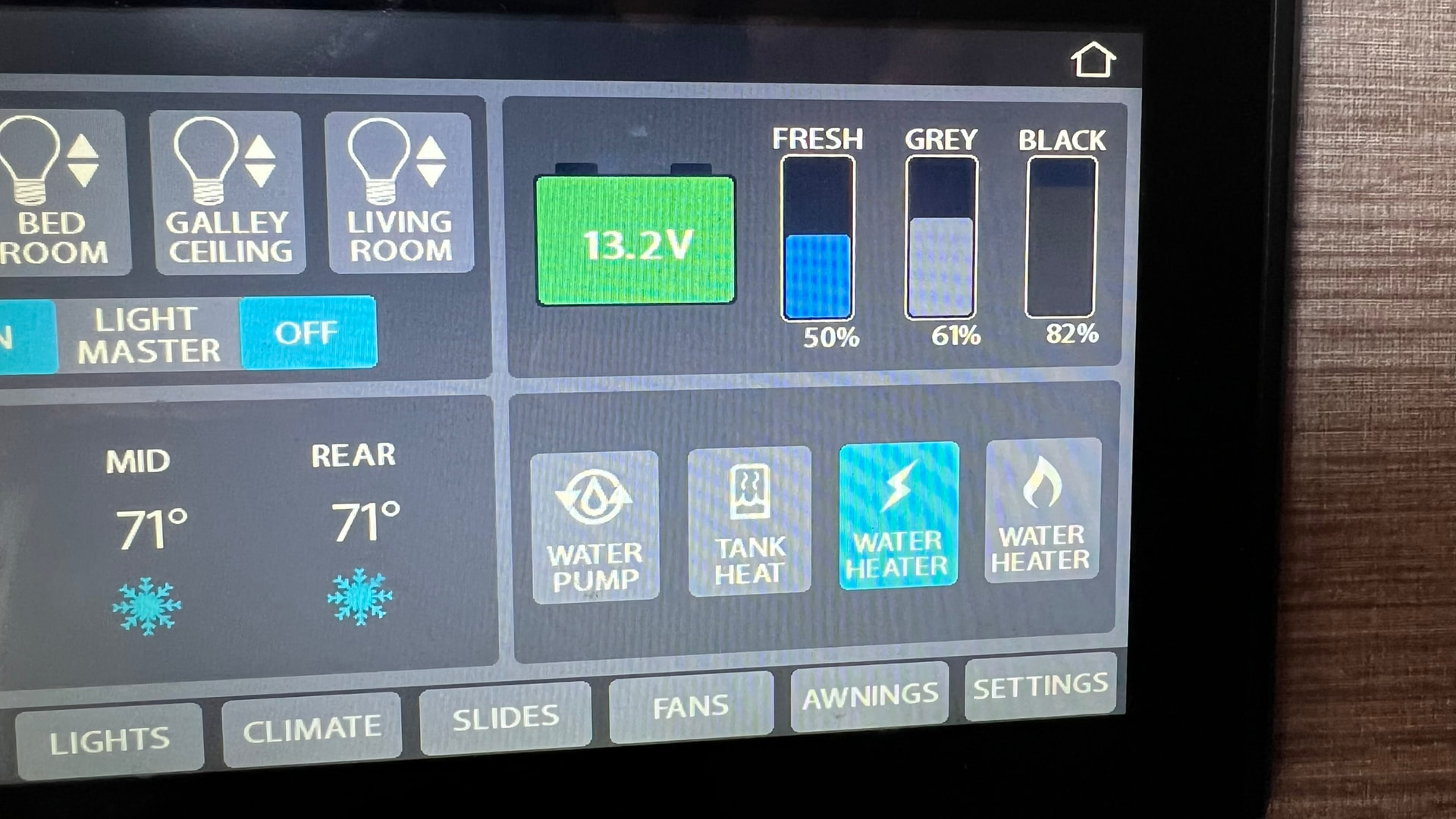
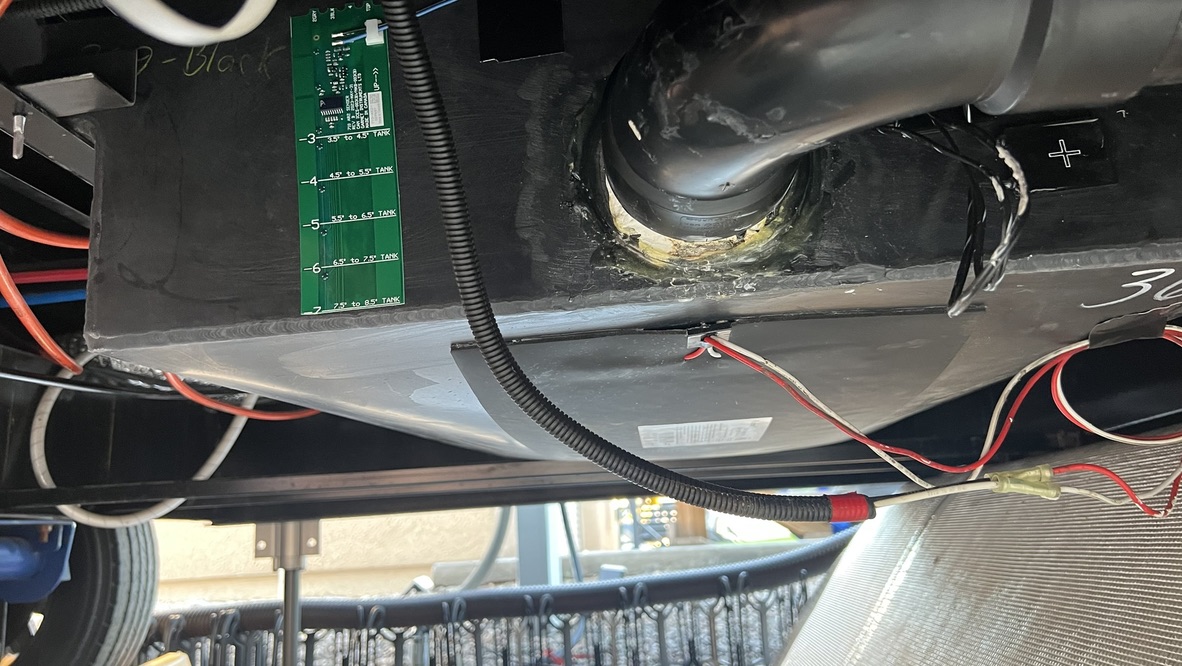
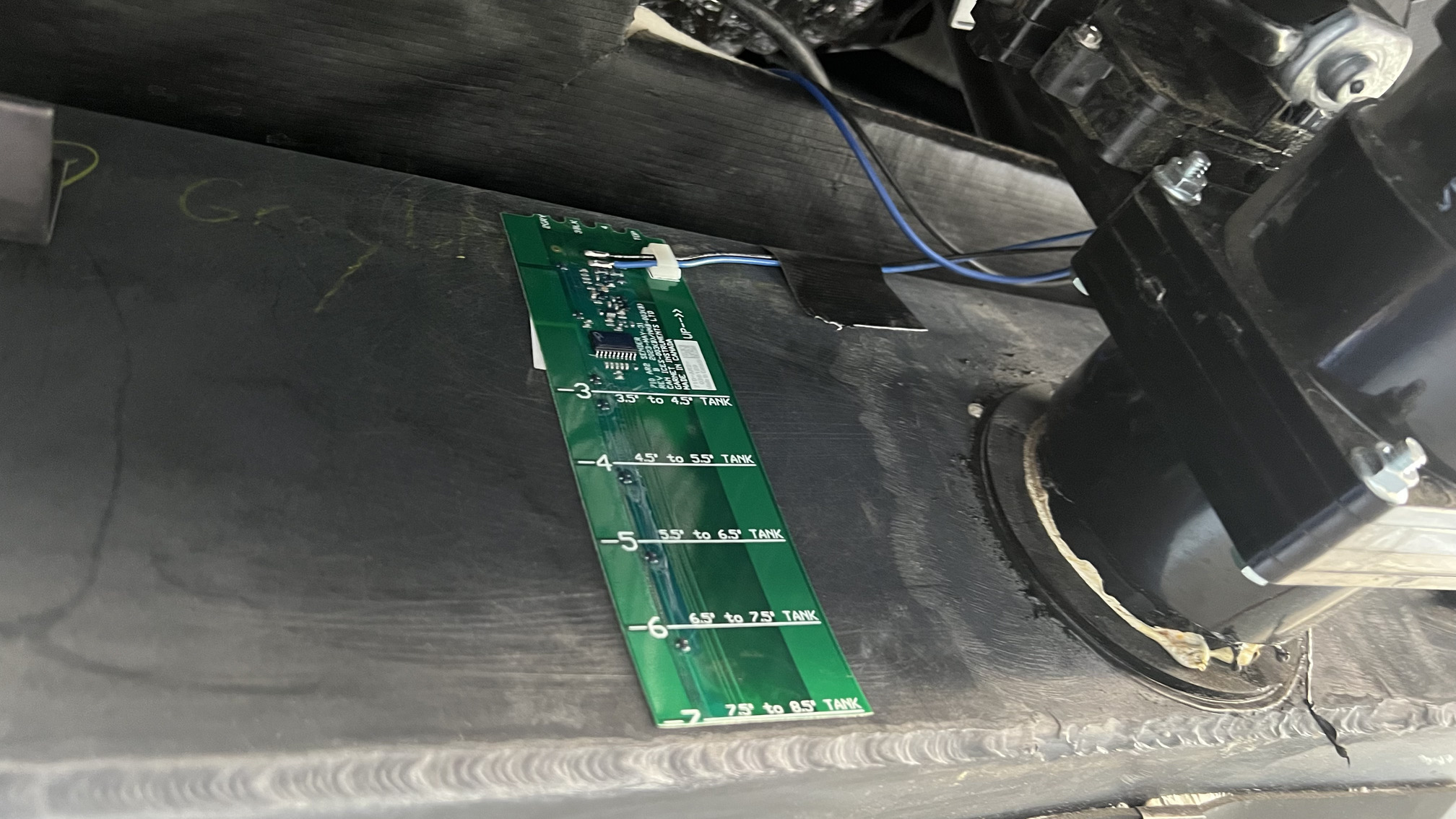
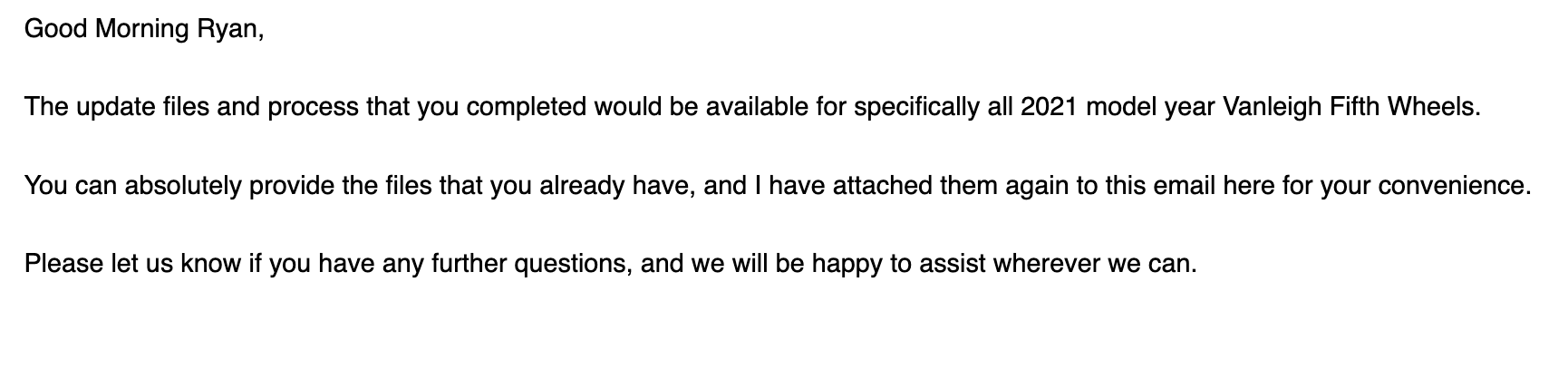
The removal of those shot nails is the toughest part followed closely by removing the underbelly.
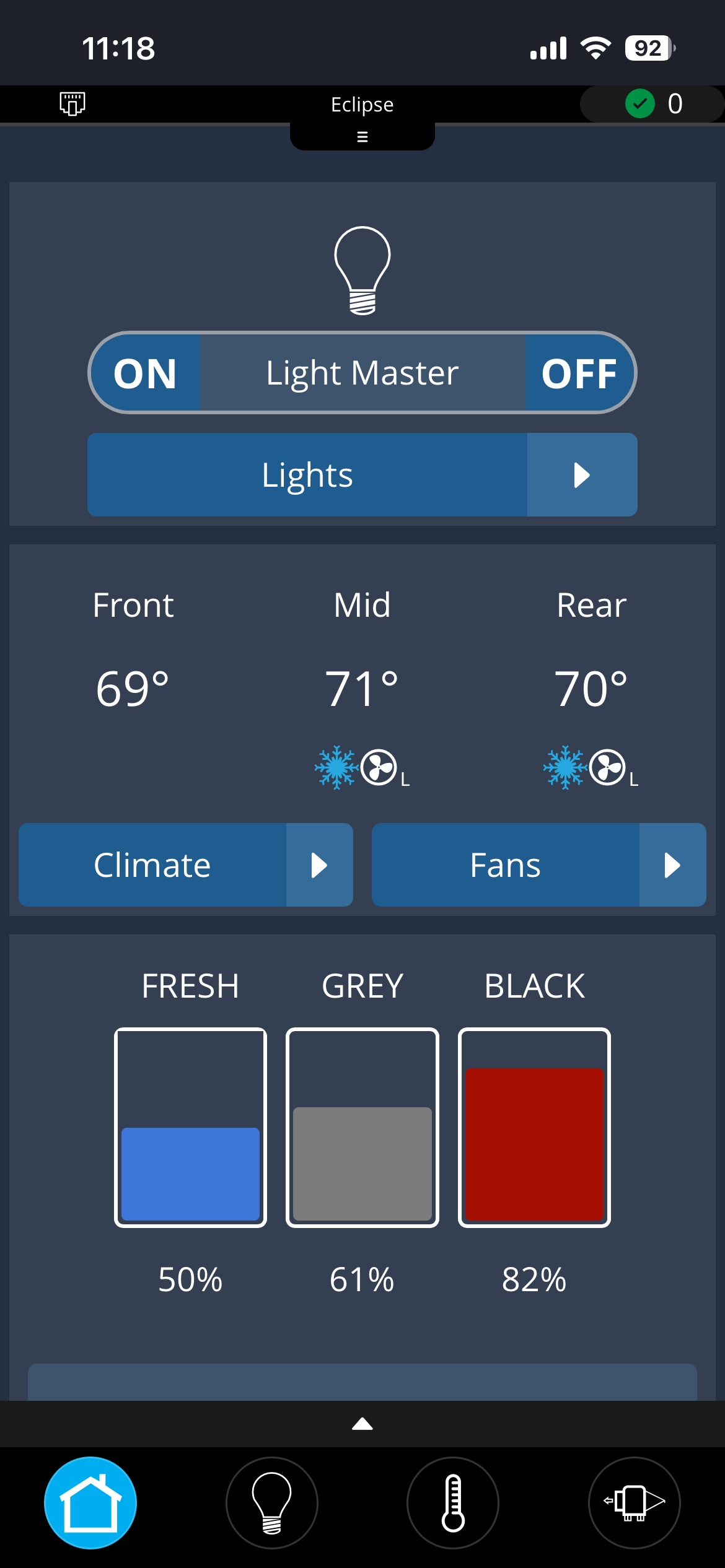
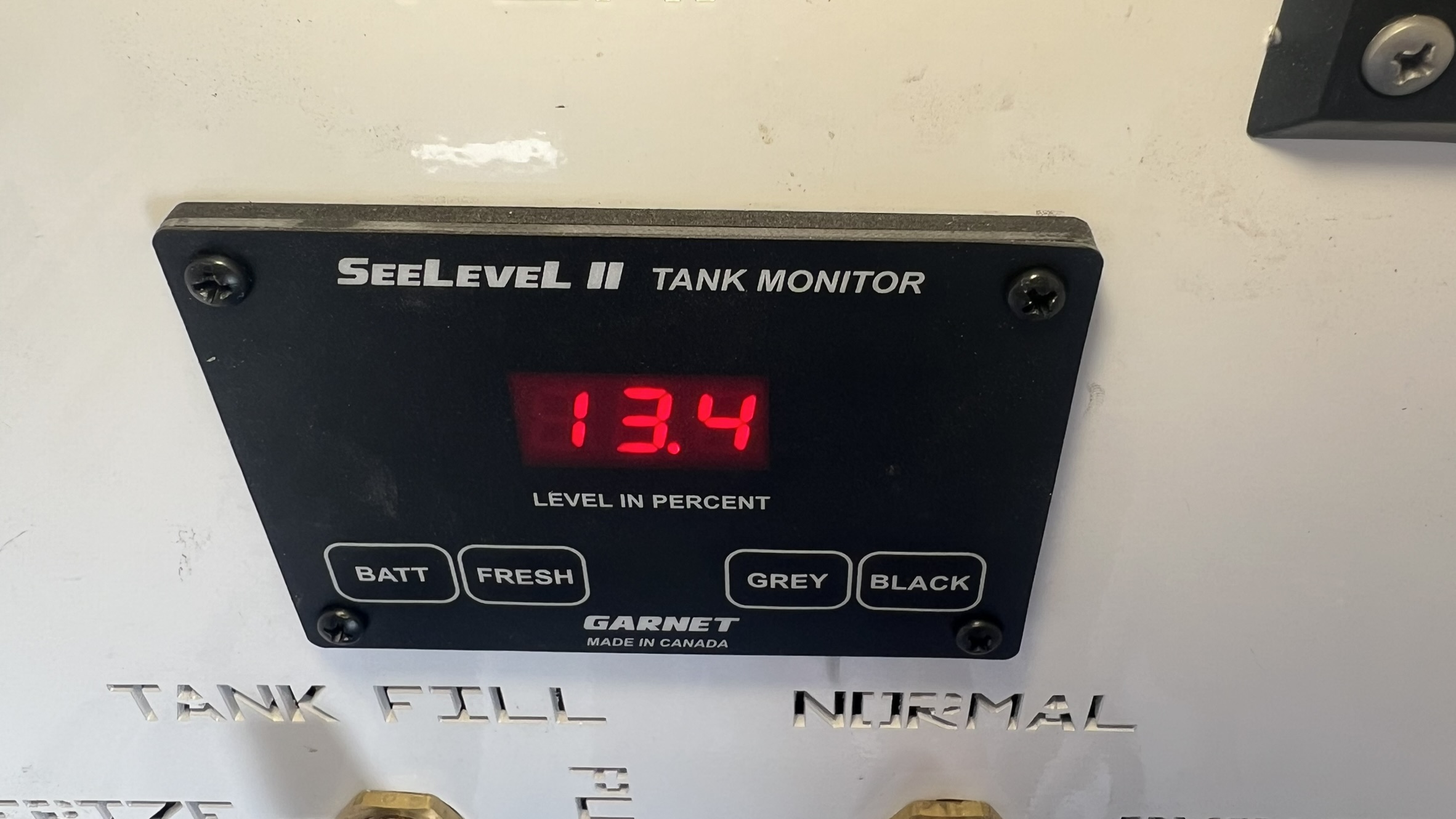
I’m glad I did it now as the See Level is so much better than the factory setup. Adding the Eclipse module also displays the See Level data in the mobile app.
I am very interested in installing the SeeLevel sensors in my Beacon 41FLB. I see that the SeeLevel panel has been installed in a couple of locations, I believe one in the bathroom and another person installed the panel in the wet bay. Is this just a preference or proximity to the RSI-9 panel to plug in the RVC cable? Also can someone elaborate more on the wiring process once the sensors have been applied to the tanks. Lastly, which side of the underbelly did you drop to access the tanks. Driver or passenger. Thanks
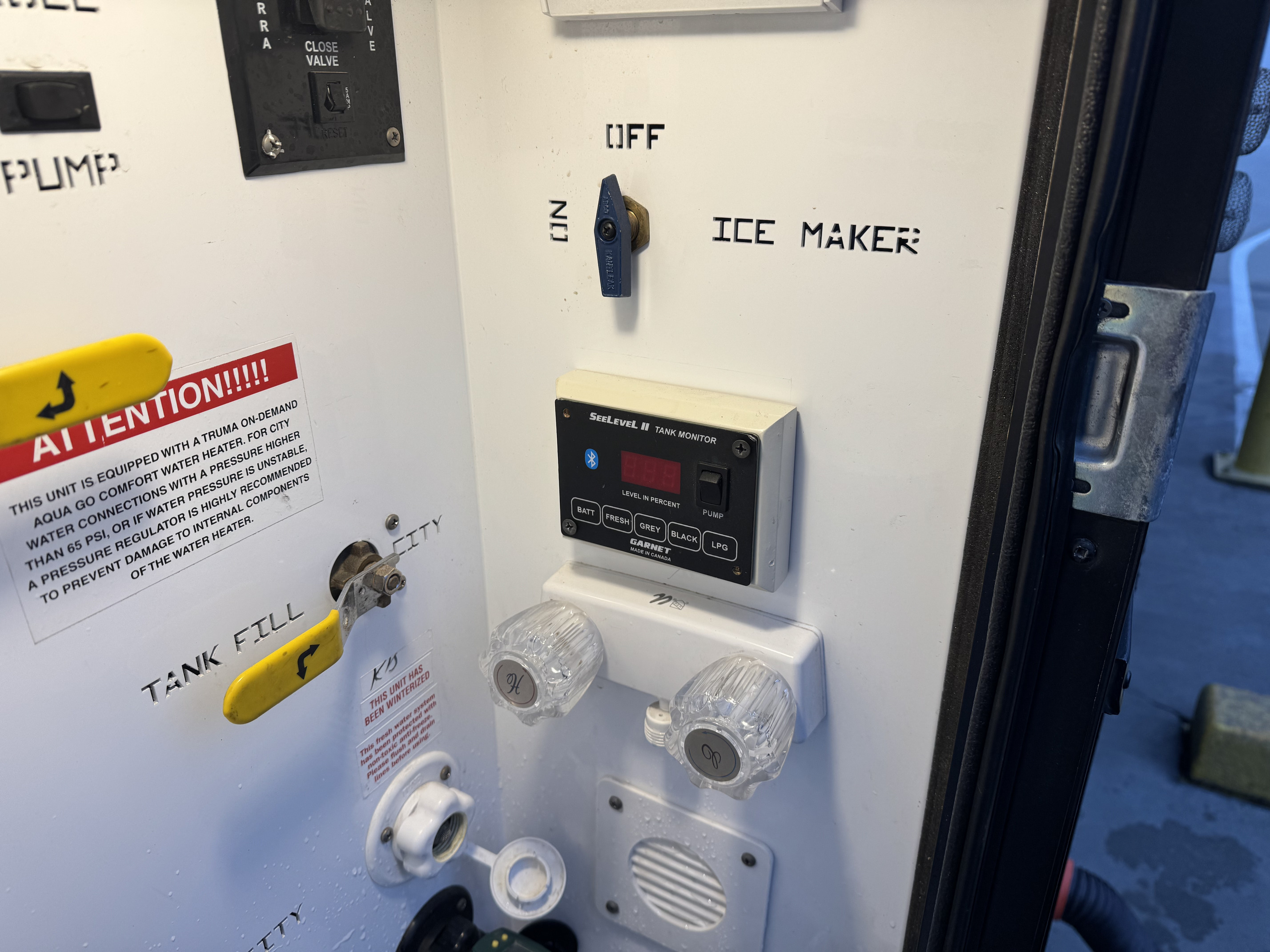
I chose the wet bay for installation mainly so I could monitor the tank levels while filling or dumping. Cable routing distance to the RSI-9 panel is a consideration too.
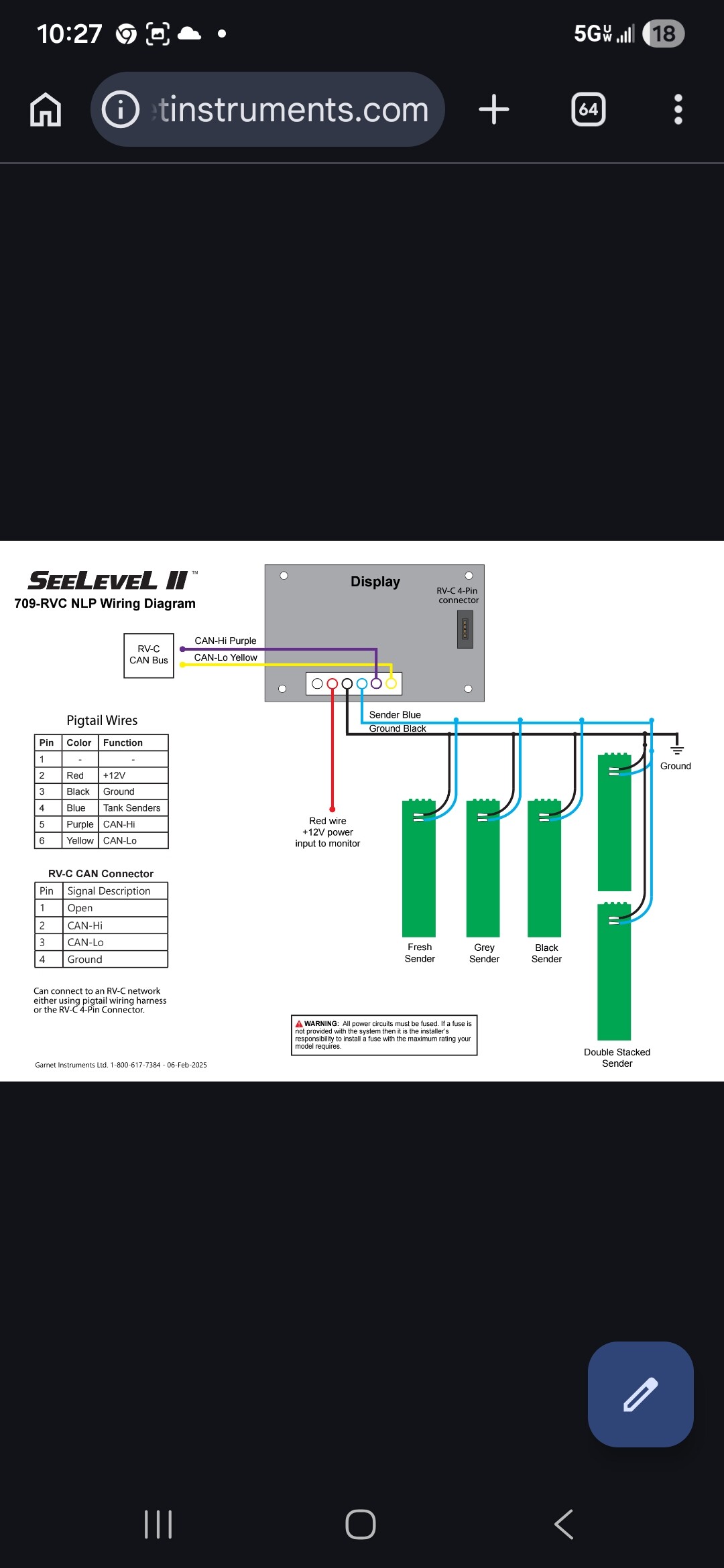
Wiring the sensors is pretty straightforward, as they are all wired together in parallel. Basically each sensor (blue and black wire) is connected to the next sensor and then those sensor wires are connected to the display pigtail which plugs into the back of the See Level display that pigtail also need to be wired into 12VDC power both positive and negative.
To gain access to the tanks I dropped both sides of the underbelly but only enough to locate and access the tanks. For the fresh I dropped the underbelly from the rear bumper to the wheels. For the black and gray I dropped the underbelly from where the drop frame starts to just past the sewer outlet. My tank layout went from Fresh → Black → Grey → Display.
Stuart. Thanks so much for the info and photos. So the wiring from the original sensors were left unchanged?
Also since this is using the RVC version SeeLevel do you not have to connect the Purple and Yellow CAN Hi-CAN Lo wires from the pigtail? From the attached diagram those appear to communicating via the RVC plug from the SeeLevel monitor to the RS1-9 board. Lastly, were you able to get the update from Spyder to disable the readings from the factory sensors and only display the SeeLevel readings?
I didn’t use anything from the original sensors, they’re still connected. The pigtail includes those purple and yellow that could be used to connect to the CAN network. I opted to use the RVC connector and a RVC cable to connect the See Level display to the RSI-9 module.
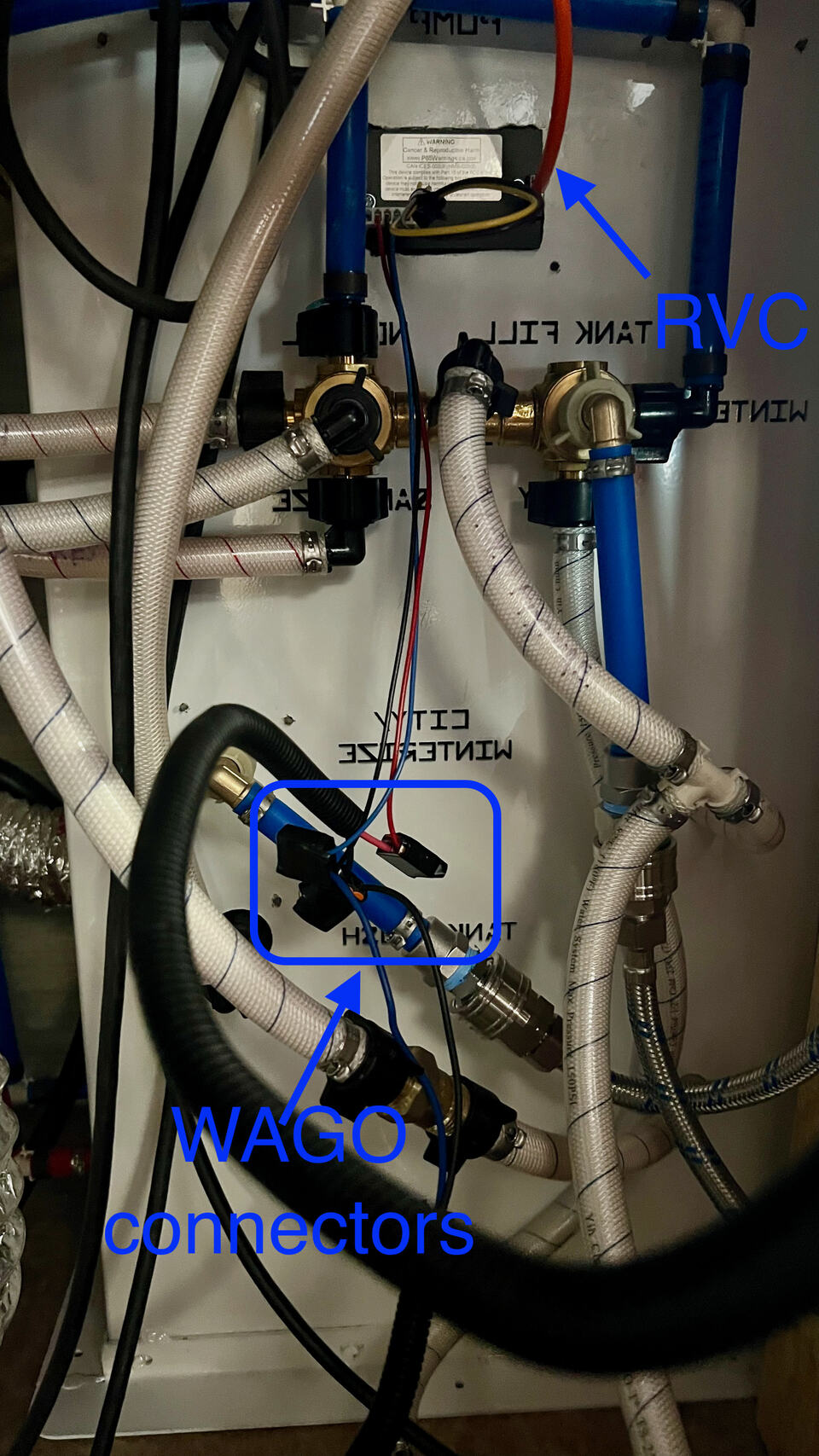
In the pic you can see the pigtail connections for the blue & black wires from the sensors and the red for 12VDC positive, the black also goes to the 12VDC negative bus bar. I used WAGO connectors to make all of the connections and wrapped them in electrical tape. That made it easy to disconnect and reconnect the wiring when I was adjusting the sensor locations.
No luck yet with Spyder on the update to ignore/disable the factory sensors. So they still alternate between the two systems, which isn’t too annoying lol.
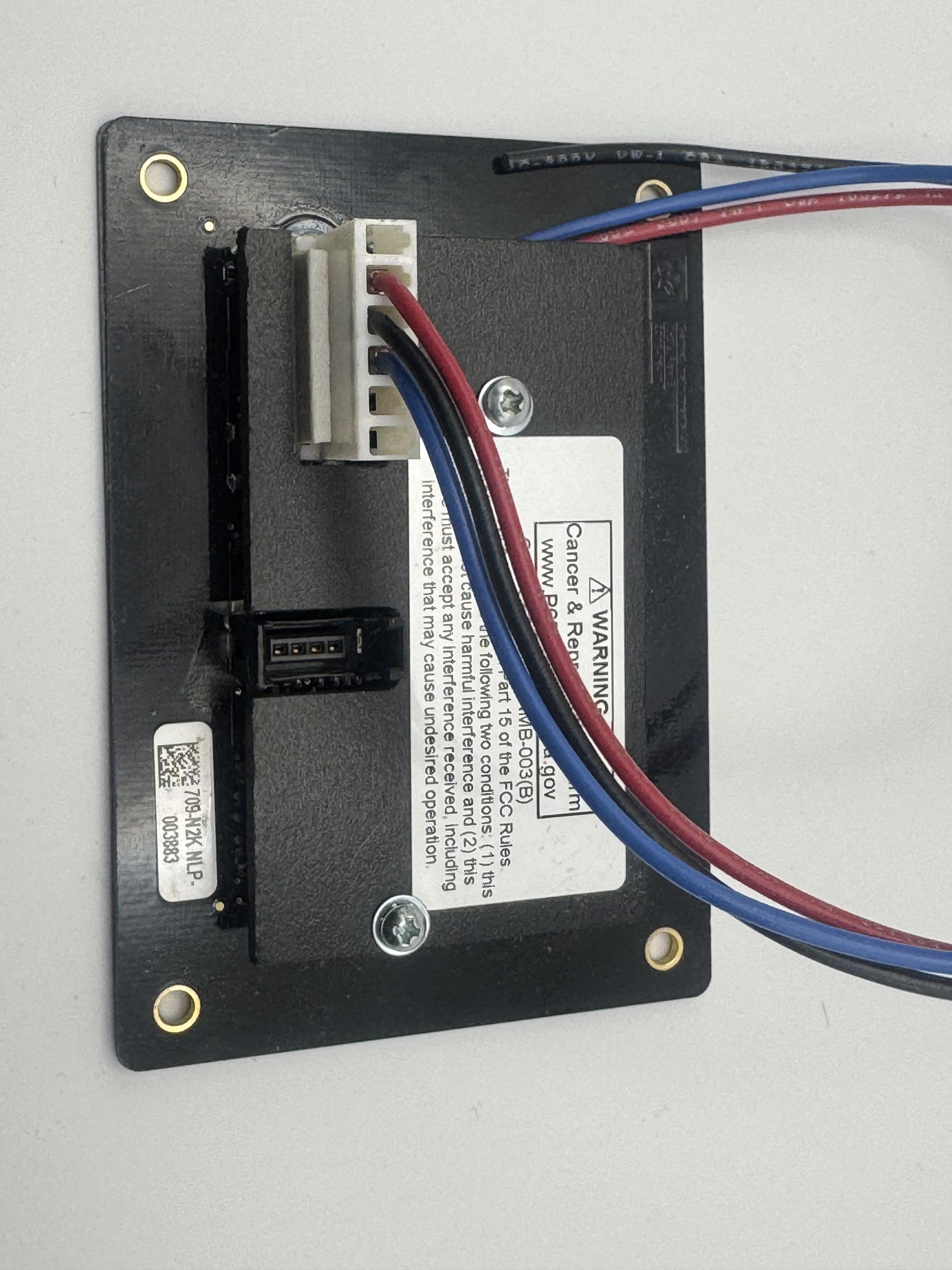
Your diagram screenshot is of a 709-N2K-NLP and shows the purple and yellow wires however as a note that model for me didnt come with those wires in the pigtail. I could have added them but had planed and used the RVC cable anyway. This is a picture of a unit that I have on my desk.
I installed in the bathroom and the wetbay. The bathroom was a strong consideration for me as it seemed prior to the shower or when sitting there… I would want to know the status of the tanks. I also installed in the wetbay for the obvious reasons when filling and emptying. I however wasnt as brave as Stuart and only drilled a dime size hole for the wiring and made an external mount. I used the bathroom for my RVC cable as it was a straight shorter drop to the RSi-9 board however I could have easily ran to either location.
Stuart - since you were unable to get an answer the last time you called Spyder Support on getting the See Level update files I reached out to the folks that provided me the files. I received an interesting response. I inquired about your unit being a 2020 and provided your diagnostics screen you posted and will report back what I get an update.
Thanks for that Ryan! A bit disappointing if I’m honest, but I guess I don’t need to bug them anymore about it. Suppose I’ll just have to get used to the alternating display (which isn’t that bad), it’s just slower to update in the app via Eclipse.
Maybe I’ll keep an eye out for any 2021 wrecked Beacons that I could use their system to swap out.
Ya sorry its unfortunate. My next step was to reach out to somebody I know with a 2020 VL and get their Seelevel update files until that idea kinda died with their statement regarding your version numbers. I am guessing they were updated with the Firefly update? Be interesting to see - if you know the before and after versions.
I am going to get clarification on the files I do have for 21 if there are exceptions with LCD Config and RSi-9 versions. My main contact I used at Spyder has retired which is unfortunate as he was full of information and was a great educator.
The screenshot of the versions was from 2024, before connecting the Firefly Eclipse. I just checked this morning and the versions are still the same as before with the Eclipse connected. I’ve never run any update on the system, so those versions are the original.
Ryan, Where did you source the mount for the SeeLevel display? Did you 3D print it? If so can you share the print file. I want to install the SeeLevel system on my 2022 Beacon 41FLB
Unfortunately it was something that was thrown together while waiting in the service bays at Tiffin as a temporary solution and proof of concept for print. I planned on printing it when I got back to “home base” but my wife’s health took a turn and our focus changed so never got to it.
I am doing another Seelevel installation on a different rig in the next few months and plan on doing the same design and will print it. I will share the file if you dont beat me to it!
What length sensors did you use for your SeeLevel tank install? What floorplan/tank size do you have for your fresh, gray, and black tanks? I have a 2022 Beacon 41FLB
We have a 2020 39FBB. I ordered the 709-RVC_NLP System which included the 9” senders. I still had to cut them down sine the black and grey tanks were just about 7” tall and the fresh tank was about 8”.
This floor plan has 70 gal fresh, 45 gal black and 90 gal grey (two 45 gal tanks connected together).
We also have a macerator toilet in the front bath which has its own separate set of sensors that lock out flushing if they show full.
I had a lot of conversation with Vanleigh regarding tank sizes as we had come from a rig with 150gal fresh and knew we were going to boondock in our Beacon.
Your tanks (although a different model unit) will be the same size that Stuart quoted (same as my 21 34RLB). Vanleigh changed their tank sizes for the 2020 model year and standardized for all Vilanos and Beacons. There were some tank variances in earlier models with the fresh tank being smaller.
It should be noted that in case a future owner reads this post - Pinecrests have 55gal fresh and Ambitions have 110gal so I am uncertain of those dimensions.
Ryan, Is your Spyder system a G6 or G12 version? I spoke with a tech support person regarding the update and after consulting with fellow colleagues he told me the only SeeLevel update to the Spyder system that he was aware of was only available on models that had the G12. My understanding is only 2023 Vanleighs were produced with the G12. I have a 2022 Beacon 41FLB and it has the G6